Land The One
Land the one you actually want.
The role, the client, the next step. Today it starts with finding openings, rewriting your resume for each one, filling in the application, and practicing the interview.
Your first 2 tailored resumes are free. No card.
Also in Chrome: a side panel that grabs the posting and fills the application form.
Pick your kind of work. Watch one resume change.
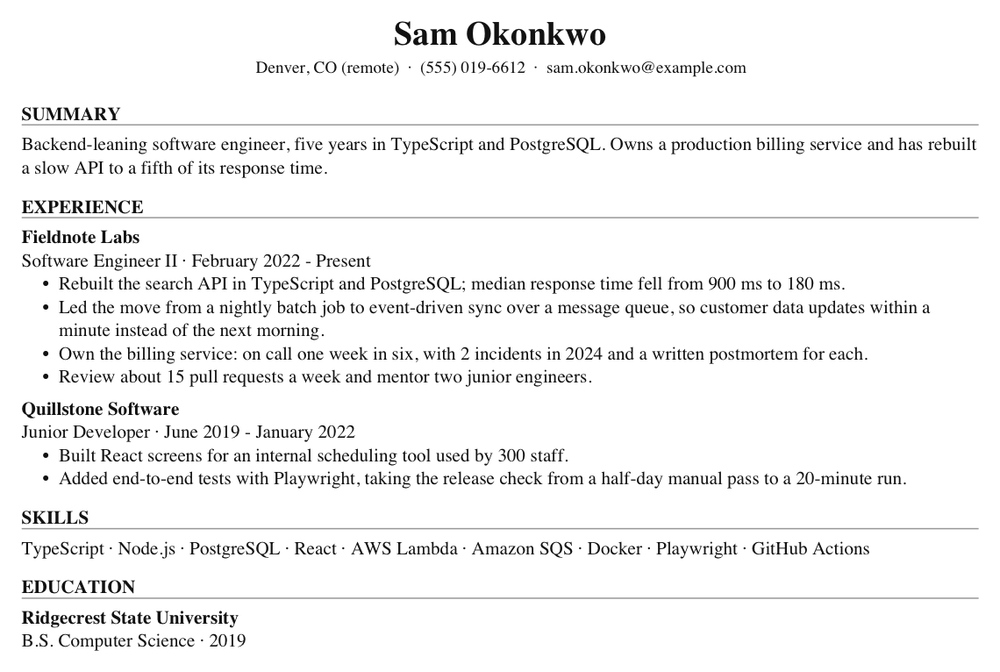
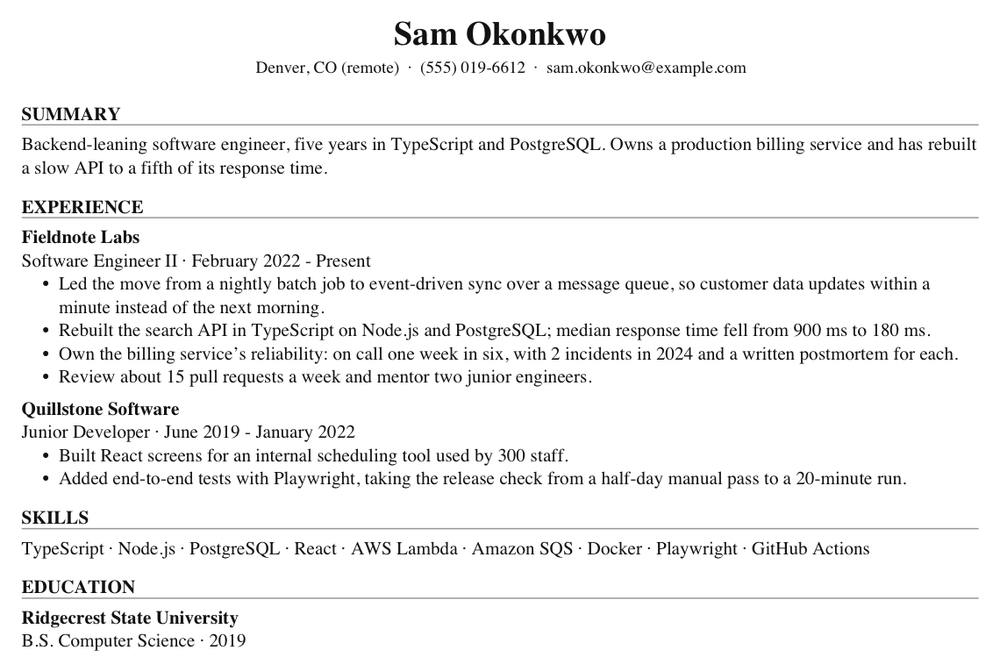
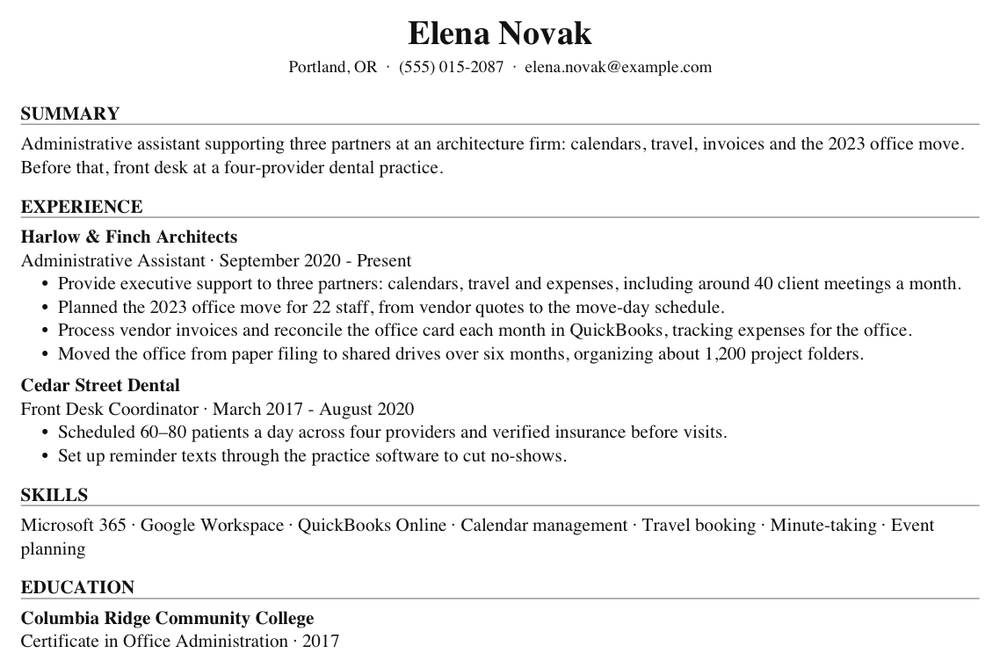
Two real pages from the app’s PDF export: a fictional resume, then the same resume tailored to a fictional posting. The list underneath says what changed.
 Open the PDF: before tailoring
 Open the PDF: after tailoring
What changed in Clearwater Home Internet
- 1Resolve billing disputes up to $500 without handing them on, de-escalating upset customers by walking through account history line by line.moved up from #2
- 2Answer 50–60 calls and chats a day on billing, outages and service changes, with a 92% customer satisfaction score across 2024.
- 3Wrote 14 knowledge base articles on common billing questions; the team links them in replies instead of retyping answers.
- 4Coach new hires through their first two weeks on the phones.
Put the billing disputes first, since the posting leads with handling upset members. Used its words “de-escalating”, “knowledge base” and “coach” where they describe work already on the resume. Kept the employer, title and dates as written. Highlighted words come from the posting. No figure was added that the original did not have.
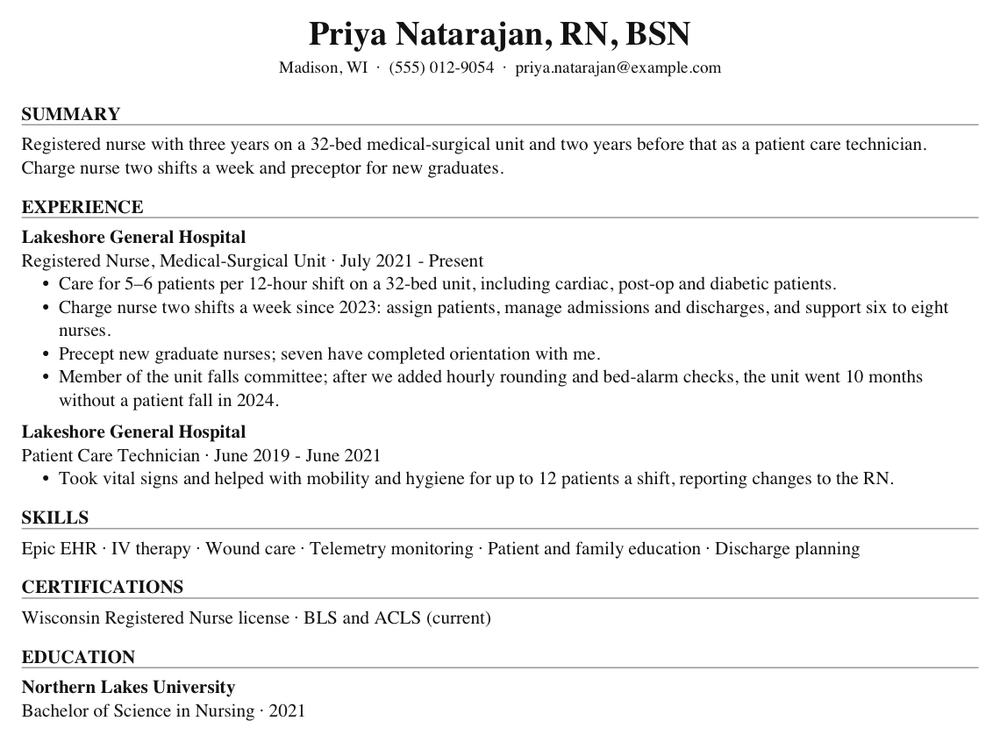
Example resume: fictional person. See the full example with all three templates and what makes it work.
Curious which of a posting’s words your resume already has? Try the free keyword checker.
From paste to PDF
You write your resume once. Every job after that is a paste and a tap, and the result is yours to edit before anyone sees it.
1
Paste your resume once
Copy it out of Word, Google Docs or an old PDF and paste it in. We split it into clean sections you can edit: contact, summary, experience, skills, education.
Editing and exporting are free, with or without an account.
2
Paste a job posting
We rewrite your experience for what that listing asks for. Same background, their words. What matches the role moves up and gets the detail; what doesn’t gets shorter.
Your employers, titles and dates stay exactly as you wrote them.
3
Export and apply
Download a PDF, Word or RTF file in a single-column layout that applicant tracking systems read cleanly: real text, standard fonts.
Each tailored version is saved with its job, so you can find it again.
In Chrome, right beside the posting
Most applications happen in a browser tab. The Land The One extension works in that tab, so you never copy a posting out or type your details in again.
- 1It sits beside the postingThe extension opens in Chrome’s side panel, next to the job you are reading. Nothing to switch to.
- 2It reads the posting for youPress “Tailor my resume” and it grabs the posting from the page. No copying and pasting. Save the job from the same panel.
- 3It fills the application, and stopsOn Greenhouse, Lever and Workday forms it fills the empty fields from your profile and attaches your resume file. It leaves demographic questions alone and never presses Submit.
- 4Same account as the appSign in and your resume, tailored versions and saved jobs are there, in Chrome and in the app.
Three templates, same resume
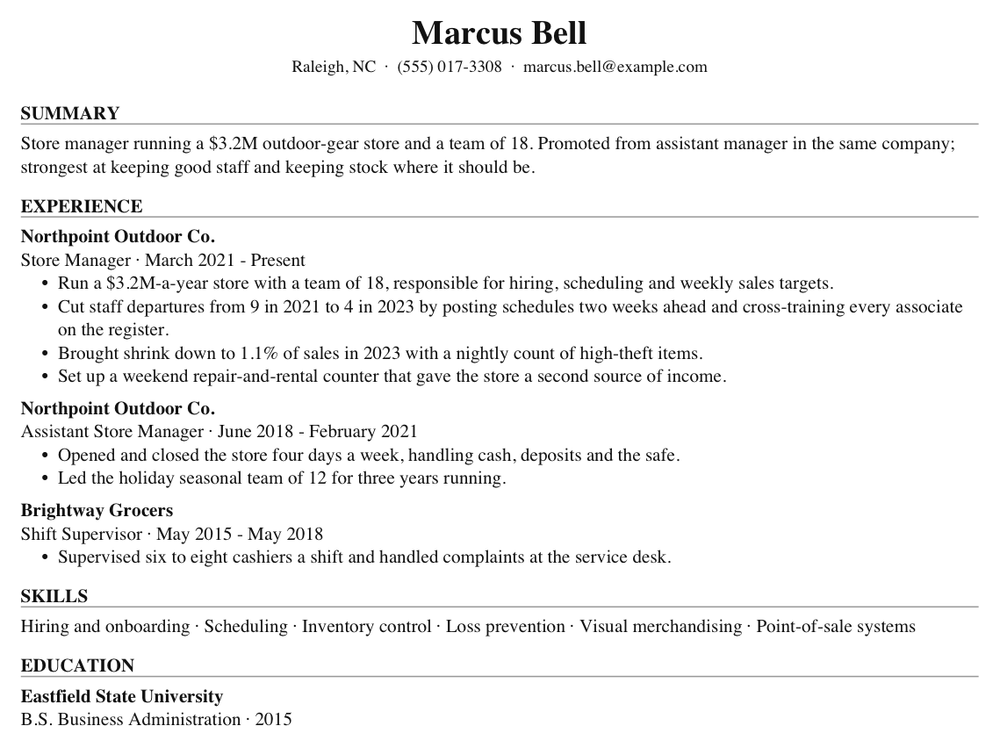
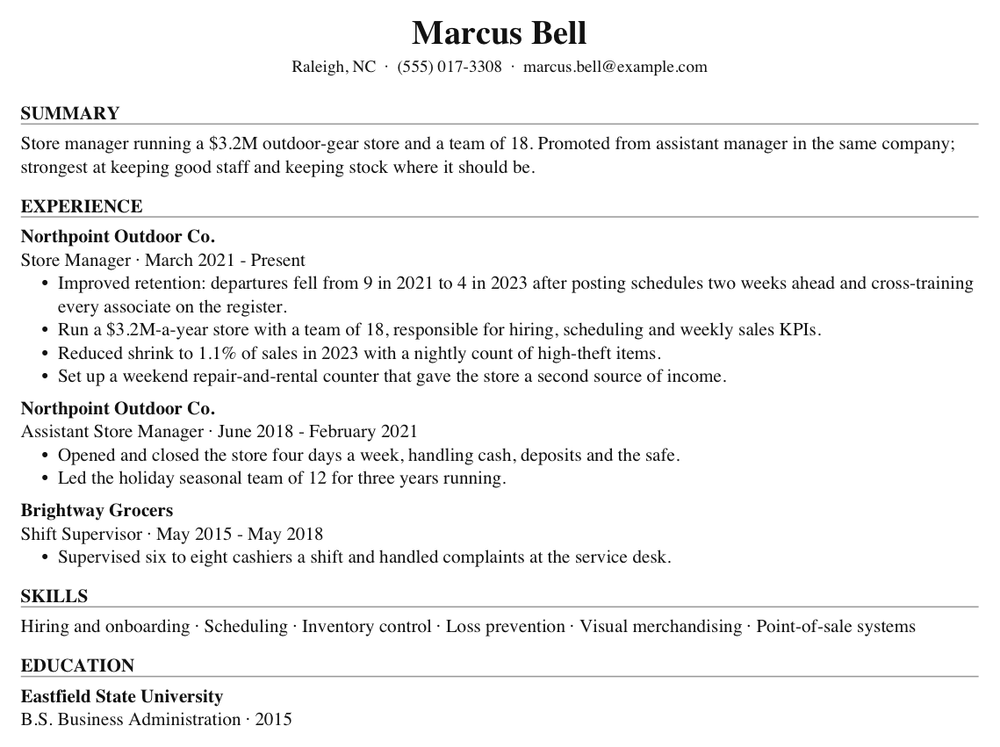
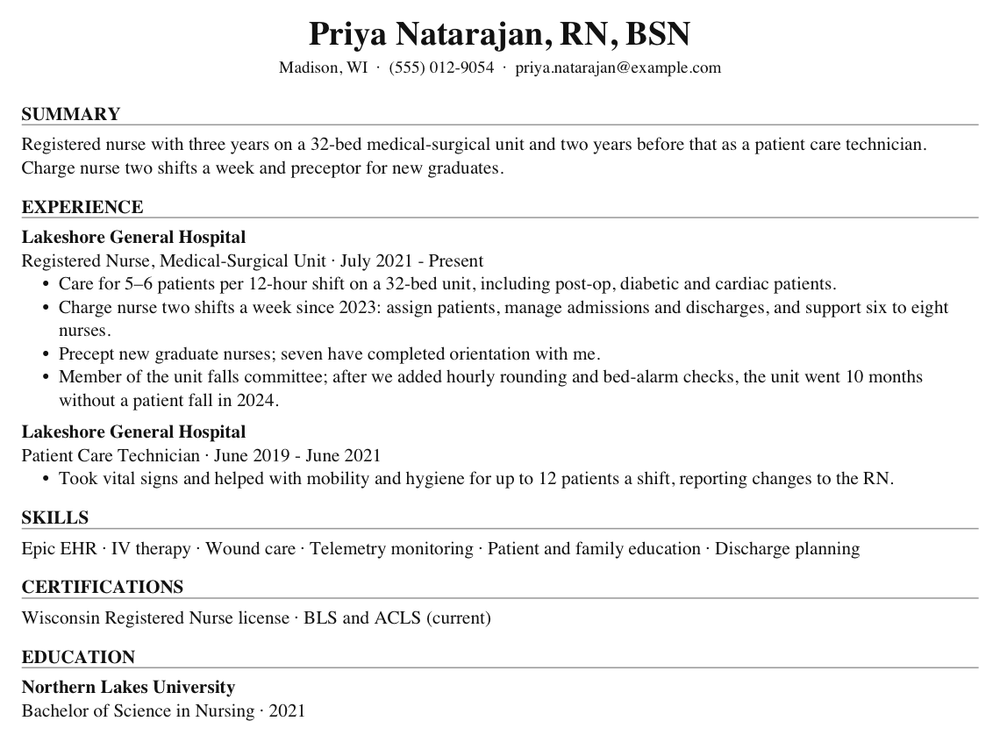
Every export is real text that tracking systems and screen readers can read. Classic and Technical keep to one column; use one of those when an upload form is strict. See all six example resumes
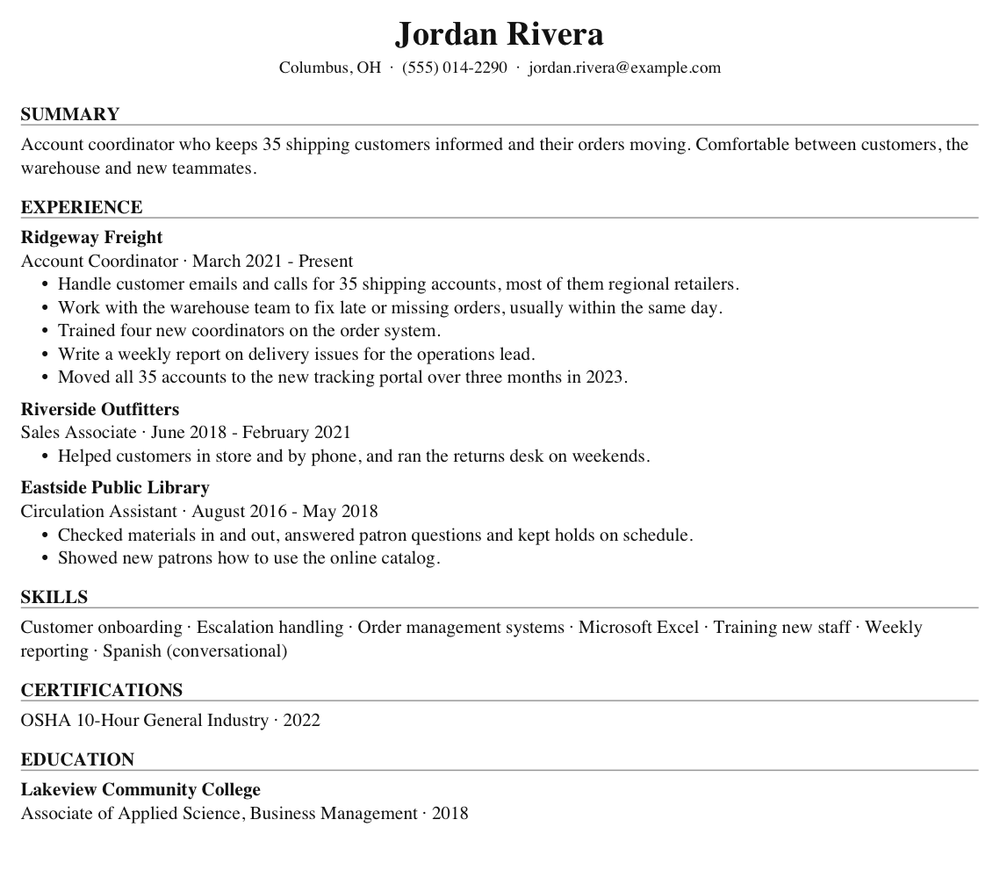
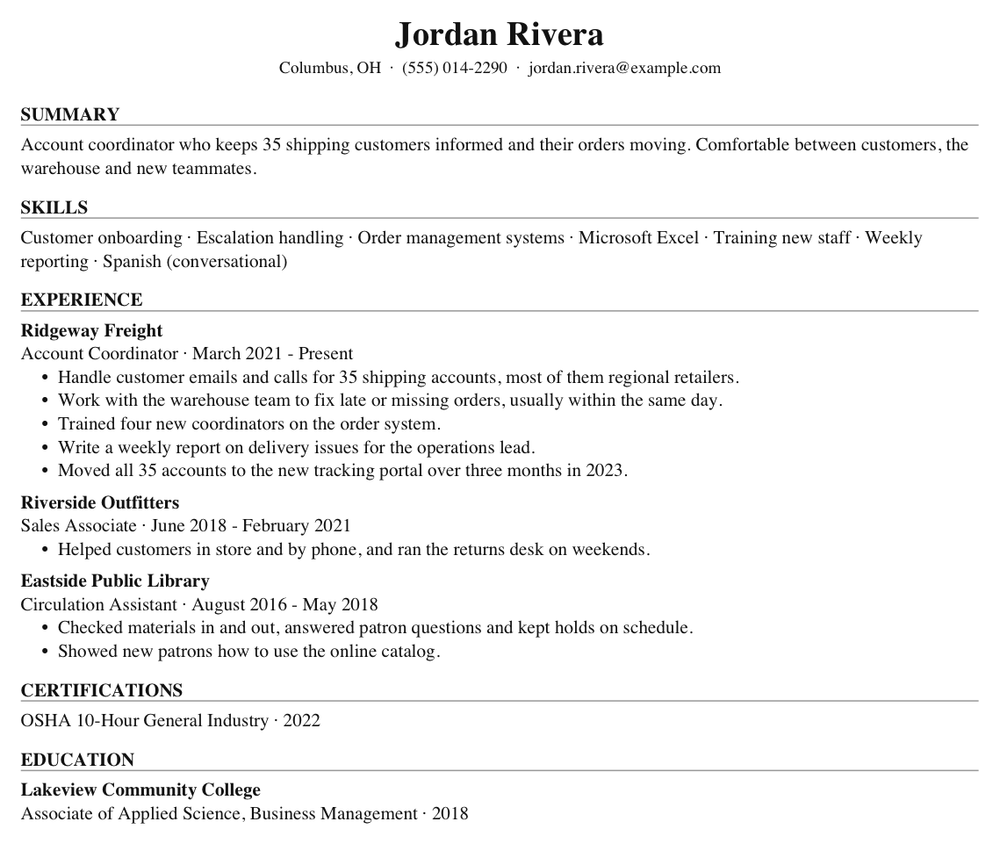
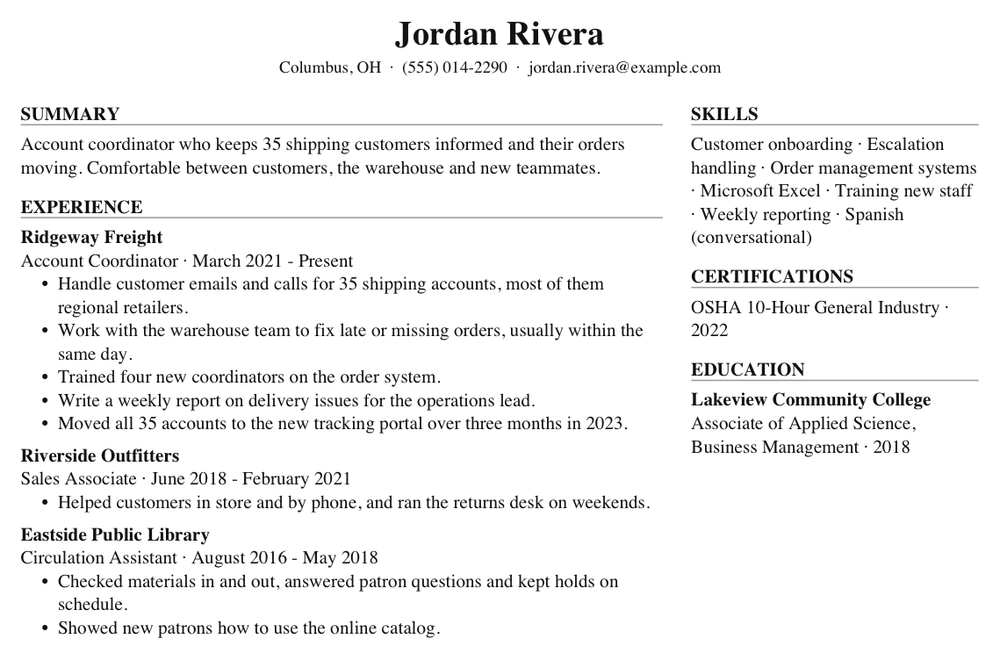
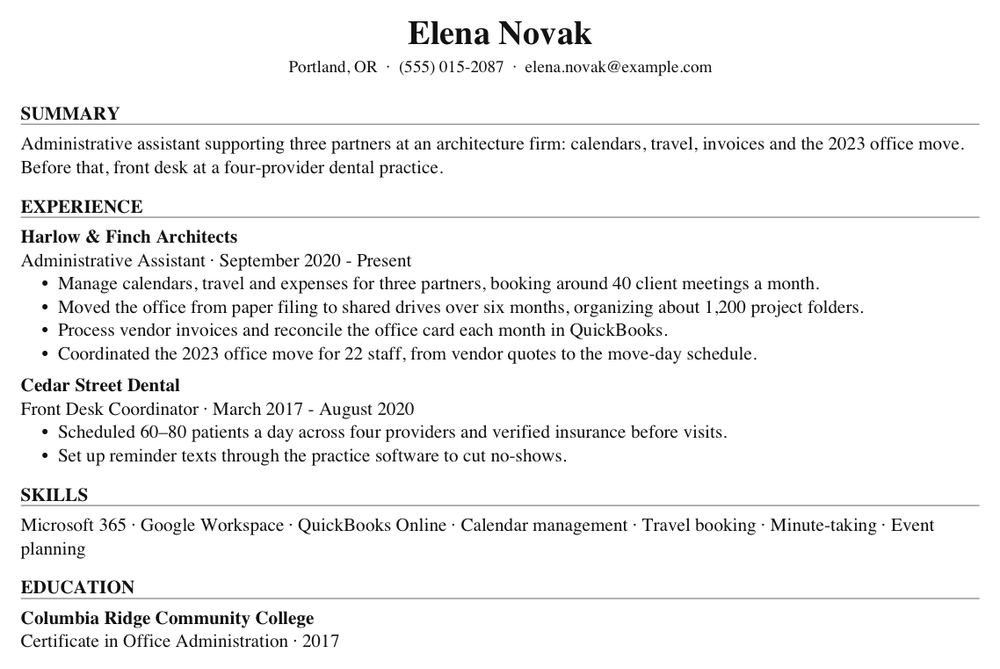
Page one of each, made from a fictional resume by the app’s own PDF renderer. Open a sample to see the real file.
Everything between the posting and the interview
Search live job postings
Greenhouse, Lever, Ashby, Workable and company career pages. Every result comes back with its full posting text, ready to tailor against.
A resume waiting for every saved job
Turn on one setting and every job you save gets its own tailored resume, with one email that links to each PDF when they are ready.
Practice the interview
Answer questions for a specific job like you would in person, then get written feedback on how to answer stronger.
Improve one section at a time
Sharpen a summary or a role without touching the rest of your resume.
Everything it does
Most of it has a short demo. Watch every demo
Your resume
Paste it or upload it
Paste text, or upload a PDF or Word file. Smart parse splits it into sections you can edit by hand.
Watch it: Paste it or upload itOr build one by answering questions
No resume yet? Answer a few questions, one at a time, and your first draft is written from what you said.
Watch it: Or build one by answering questionsImprove one section
Ask for a better summary or a better role. It arrives as a suggestion with its reasoning; you accept or discard it.
Watch it: Improve one section
Tailoring
Tailor to a posting
Relevant work moves up and uses the posting’s words. Employers, titles and dates are kept exactly as written.
Watch it: Tailor to a postingSee what changed
A short note on what was changed and why, and up to three questions for details your resume is missing.
Watch it: See what changedChoose how many skills
Focused (about 8), Standard (about 15) or Everything. Picked only from skills you listed, never added to.
Exporting
PDF, Word or RTF
Pick a template, a length and a font. RTF is there for upload forms that reject PDFs.
Watch it: PDF, Word or RTFA preview that matches the file
What you see is what downloads. Email and web addresses in the PDF are clickable links.
Watch it: A preview that matches the file
Finding jobs
Search live openings
Greenhouse, Lever, Ashby, Workable and company sites. Leave the role blank and it searches for one that matches your resume.
Watch it: Search live openingsEvery result brings its posting
The full posting text comes back with each result, ready to tailor against.
Watch it: Every result brings its postingSaved jobs, each with a resume
Turn on one setting and every job you save gets its own tailored resume, with one email linking to each PDF. Interviews go straight into your calendar.
Watch it: Saved jobs, each with a resume
Interviews
Practice the interview
The interviewer has read the posting and your resume, and asks one question at a time.
Watch it: Practice the interviewFeedback you can act on
An overall score, then question by question: what worked, what to improve, and a stronger answer built from your own resume.
Watch it: Feedback you can act onPrep videos and guides
A video and a written guide for each skill the posting asks for. Every link is checked before you see it.
Watch it: Prep videos and guides
Applying, from Chrome
Grab the posting from the page
The extension opens in Chrome’s side panel beside the posting you are reading. “Tailor my resume” grabs the posting itself: no copying and pasting.
Watch it: Grab the posting from the pageFill the application form
On Greenhouse, Lever and Workday it fills the empty fields from your profile and attaches your resume file. It never presses Submit.
Watch it: Fill the application formReply to recruiters
Save a LinkedIn or Indeed conversation and get a reply drafted from your resume, to edit before you send.
Watch it: Reply to recruiters
English and Spanish
Menus in either, set once in Settings. Notes, questions and feedback written for you follow your choice.
Watch it: English and SpanishDelete everything
Delete your account from Settings and your resume, tailored versions, saved jobs and practice sessions go with it.
What it won’t do
- Invent an employer, a title, a date, a degree or a number. When a figure would make a bullet stronger, it asks you for it.
- Submit an application for you. You read every word before it goes to an employer.
- Bill you every month. Packs are bought once, and you're only charged when a resume is delivered.
- Sell your resume, show you ads, or share anything with employers.
Pay per resume, not per month
Your first 2 tailored resumes are free. After that, buy a pack when you need one; there is no subscription to cancel.
Editing and exporting are always free. You’re only charged when a resume is delivered; if something fails, it costs nothing.
| Pack | Price | Per resume |
|---|---|---|
| 5 tailored resumes | $2.99 | $0.60 |
| 15 tailored resumes | $6.99 | $0.47 |
| 40 tailored resumesBest value | $14.99 | $0.37 |
A pack can also go toward job search and interview practice instead.
Questions
- Will it make things up?
- No. It reorders and rewords what you already wrote, in the posting’s terms. It never invents employers, titles, dates, credentials or numbers. When a figure would make a bullet stronger, it asks you for it instead of guessing.
- Do I need an account?
- Editing your resume and exporting it work without one. The AI features need a free account, and your first 2 tailored resumes are free.
- Will an applicant tracking system read it?
- Yes. Exports are real text, not images, with standard fonts, and the Classic and Technical templates are a single column. Word and RTF are there for the job sites that refuse PDFs.
- Which template should I pick?
- Classic suits most people. Technical puts your skills first. Two column moves skills, certifications and education into a sidebar; for a strict upload form, stay with one of the single-column templates.
- What happens to my resume?
- It is stored in your account so it is there on every device, and it is sent to an AI model only to write what you asked for. We do not sell it or share it with employers. You can delete your account, and everything in it, from Settings.
Something else? Ask us.
Paste your resume and one posting. See the difference before you spend a cent.
Tailor your resume freeYour first 2 tailored resumes are free. No card.